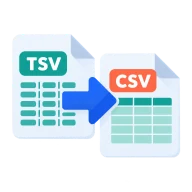
Convert TSV to CSV
Convert TSV to CSV. Tab-separated files become comma-separated with correct quoting, and every value is kept exactly as written. Nothing is uploaded.
What is TSV?
TSV stands for tab-separated values. It works like CSV but puts a tab between columns. Databases, bioinformatics tools, Google Sheets downloads and copy-paste from spreadsheets often produce it, because tabs rarely appear inside values.
Why convert TSV to CSV?
Many tools and import screens expect commas, not tabs. As a CSV, the data works in Excel import wizards, CRMs, email tools and standard CSV parsers.
How to convert TSV to CSV
Drop a .tsv or tab-separated .txt file above and press Convert. Each row is split on tabs and written back as CSV. Any value with a comma, quote or line break is wrapped in double quotes, and quotes inside values are doubled. Every value is copied as text, so leading zeros, long IDs and dates are unchanged. Empty lines are skipped.
Copying from a spreadsheet
When you copy cells from Excel or Google Sheets and paste them into a text editor, the columns are separated by tabs. Save that text as a .tsv or .txt file and drop it here to get a proper CSV, ready for an import screen that only accepts commas.
Before you start
Input: TSV and TXT. Output: CSV. The settings appear before anything runs, so you can check them first. Your original file is never changed.
A valid file can still hold the wrong data. Before you import the result, check the row count, field names, text encoding, dates, IDs and a few unusual rows.
Keep the original until you have opened and checked the result. The work happens in this browser tab, so the size you can handle depends on your device's memory, your browser and the file itself.
Steps to convert TSV to CSV
- Drop a .tsv file into the box above.
- Press Convert to reformat it in your browser.
- Download the CSV.
Last updated · How we build and check tools · Report an error
 CSV to Excel
 CSV to JSON
 CSV to Markdown Table
 JSON to CSV