Free online data converter
Data files often hold records you shouldn't paste into a random website: customer exports, contact lists, calendars, app databases and logs of your own network traffic. These converters parse the file in your browser tab and write the new format there, so the rows never reach a server.
Move data between JSON, CSV, Excel, YAML, XML and TOML. Turn a vCard contact export or an ICS calendar into a spreadsheet, or a CSV into a Markdown table. Browse a SQLite database with read-only queries, inspect a HAR capture and strip cookies and auth headers before you share it, or convert GPS tracks between GPX, KML and GeoJSON. Check the row count and a few unusual rows before you import the result.
22 data converter tools
 JSON to CSVTurn JSON data into a CSV for your spreadsheet.
 CSV to JSONTurn spreadsheet rows into a JSON array.
 CSV to ExcelTurn a CSV into a real Excel workbook.
 Excel to CSVSave any worksheet as CSV, or every sheet at once.
 SQLite ViewerOpen a SQLite .db file in your browser, browse its tables, run read-only SQL and export a table as CSV, JSON or SQL.
 HAR ViewerOpen a HAR file to see every network request, then remove cookies, auth headers and bodies before you share it.
 Excel to JSONTurn worksheet rows into JSON objects.
 JSON to YAMLTurn JSON into readable YAML config.
 YAML to JSONTurn YAML config into strict JSON.
 JSON to XMLTurn JSON into well-formed XML.
 XML to JSONTurn XML into structured JSON.
 JSON to TOMLTurn JSON into TOML config.
 TOML to JSONTurn TOML config into JSON.
 CSV to Markdown TableTurn a CSV into a GitHub-style table.
 TSV to CSVTurn tab-separated data into standard CSV.
 VCF to CSVTurn exported contacts into a spreadsheet.
 ICS to CSVTurn calendar events into a spreadsheet.
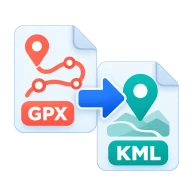 GPX to KMLTurn GPS tracks into KML for Google Earth.
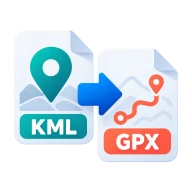 KML to GPXTurn Google Earth KML into GPX for GPS devices.
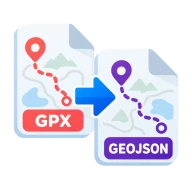 GPX to GeoJSONTurn GPS tracks into GeoJSON for web maps.
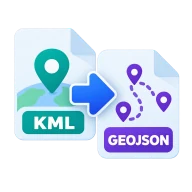 KML to GeoJSONTurn Google Earth KML into GeoJSON for web maps.
 GeoJSON to CSVFlatten map features into a spreadsheet.
Data converter questions
Excel guesses the delimiter, the text encoding and the type of each column. That can turn IDs into numbers and drop leading zeros. Converting the CSV to an .xlsx workbook stores those choices in the file instead.
A CSV is a flat table, so each nested object or array is written into its cell as compact JSON. Nothing is lost, but flatten those fields in your JSON first if you need them as separate columns.
No. The SQLite viewer is read-only. You can browse tables, run SELECT queries and export a table as CSV, JSON or SQL, but your file is never written to.