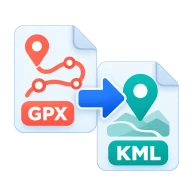
Convert GPX to KML
Convert GPX to KML online. Turn GPS tracks, routes and waypoints into KML for Google Earth and Maps. Parsed in your browser, no upload.
What is GPX?
GPX stands for GPS Exchange Format. Fitness apps, handheld GPS units and mapping tools use this XML format to record tracks, routes and waypoints with latitude, longitude and elevation.
Why convert GPX to KML?
Google Earth and Google Maps read KML directly. A KML copy lets you see a recorded hike or ride on satellite imagery and share it as one file.
How to convert GPX to KML
Drop a .gpx file above and press Convert. The togeojson parser reads the GPX in your browser into GeoJSON, then Convertur writes standard KML 2.2. Waypoints become Point placemarks, and tracks and routes become LineString placemarks, with multi-segment tracks grouped together. Names, descriptions and elevations are kept. Point timestamps are not written to the KML. Download the .kml and open it in Google Earth or import it into Google My Maps.
Where GPX files come from
Strava, Garmin Connect, Komoot, AllTrails and most GPS watches can export an activity or a route as GPX. Look for Export GPX in the activity menu on the website or app. Google Earth on the web and on desktop can then import the KML this tool makes, as can Google My Maps.
Before you start
Input: GPX. Output: KML. The settings appear before anything runs, so you can check them first. Your original file is never changed.
These formats often follow rules set by one app or device. Test the result where it will be used, and keep the source in case you need to export it again.
Keep the original until you have opened and checked the result. The work happens in this browser tab, so the size you can handle depends on your device's memory, your browser and the file itself.
Steps to convert GPX to KML
- Drop a .gpx file into the zone above.
- Convertur reads the tracks, routes and waypoints.
- Press Convert. Everything runs in your browser.
- Download the KML and open it in Google Earth.
Last updated · How we build and check tools · Report an error
 KML to GPX
 GPX to GeoJSON
 KML to GeoJSON
 GeoJSON to CSV