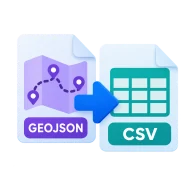
Convert GeoJSON to CSV
Convert GeoJSON to CSV online. Get longitude, latitude and every feature property as columns, ready for Excel or Sheets. No upload.
What is GeoJSON?
GeoJSON stores map features and their properties as JSON. It works well for maps but is hard to read as a table.
Why convert GeoJSON to CSV?
CSV opens in Excel, Google Sheets and Numbers. With one row per feature, you can sort, filter and chart the attributes of your points and shapes without code.
How to convert GeoJSON to CSV
Drop a .geojson or .json file above and press Convert. Every feature becomes one row. The first three columns are longitude, latitude and geometry_type. Point features fill in the coordinates, while lines and polygons leave them empty and show their type. One column is added for each property key found in any feature, nested values are written as JSON text, and commas and quotes are escaped so the file imports cleanly.
Uses for a GeoJSON CSV
Review the attributes of a dataset in a spreadsheet, check for missing values, count features by category with a pivot table, or hand point locations to someone who doesn't use GIS software. Points come out with their coordinates in separate columns, which Google Sheets, Excel maps and most mapping services can plot again.
Before you start
Input: GEOJSON and JSON. Output: CSV. The settings appear before anything runs, so you can check them first. Your original file is never changed.
These formats often follow rules set by one app or device. Test the result where it will be used, and keep the source in case you need to export it again.
Keep the original until you have opened and checked the result. The work happens in this browser tab, so the size you can handle depends on your device's memory, your browser and the file itself.
Steps to convert GeoJSON to CSV
- Drop a .geojson file into the zone above.
- Convertur collects every property key into a header row.
- Press Convert. Parsing runs in your browser.
- Download the CSV and open it in a spreadsheet.
Last updated · How we build and check tools · Report an error
 GPX to GeoJSON
 KML to GeoJSON
 GPX to KML
 KML to GPX