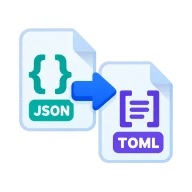
Convert JSON to TOML
Convert JSON to TOML, the config format of Cargo, pyproject and Hugo. Drop a .json file and get TOML tables in your browser. Nothing is uploaded.
Why convert JSON to TOML?
Rust's Cargo.toml, Python's pyproject.toml, Hugo sites and many other tools use TOML. It is easier to read than JSON, allows comments, and indentation doesn't matter the way it does in YAML.
How to convert JSON to TOML
Drop a .json file above and press Convert. smol-toml writes your JSON object as TOML. Top-level keys with plain values come first, nested objects become [table] sections and arrays of objects become [[array of tables]] sections. Download the .toml file.
Limits
A TOML file needs an object at the top level. A bare array or single value can't be converted as it is, so wrap it in an object first. TOML has no null, so remove null values or replace them before converting. Numbers keep their types.
A quick example
The JSON {"package": {"name": "demo", "version": "0.1.0"}, "dependencies": {"serde": "1"}} becomes a TOML file with a [package] table holding name and version and a [dependencies] table holding serde. That is the layout of a Rust Cargo.toml, so the output can be dropped into a project and extended.
Before you start
Input: JSON. Output: TOML. The settings appear before anything runs, so you can check them first. Your original file is never changed.
A valid file can still hold the wrong data. Before you import the result, check the row count, field names, text encoding, dates, IDs and a few unusual rows.
Keep the original until you have opened and checked the result. The work happens in this browser tab, so the size you can handle depends on your device's memory, your browser and the file itself.
Steps to convert JSON to TOML
- Drop a .json file into the box above.
- Make sure the top level is an object, not an array.
- Press Convert, then download the TOML.
Last updated · How we build and check tools · Report an error
 TOML to JSON
 JSON to YAML
 JSON Formatter
 JSON to CSV