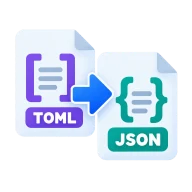
Convert TOML to JSON
Convert TOML to formatted JSON. Cargo.toml, pyproject.toml and other config files are parsed in your browser with smol-toml. Nothing is uploaded.
Why convert TOML to JSON?
Use it to read a Cargo.toml or pyproject.toml from a script that only knows JSON, to feed config into jq, or to check exactly how a parser reads dotted keys, inline tables and arrays of tables. Strict JSON shows the final structure with nothing implied.
How to convert TOML to JSON
Drop a .toml file above and press Convert. smol-toml, a TOML 1.0 parser, reads it in your browser. Tables become objects, arrays of tables become arrays of objects, and dotted keys such as server.port become nested objects. The result is written as JSON with two-space indents.
Types and errors
Strings, integers, floats and booleans map to the matching JSON types. TOML dates and times become ISO 8601 strings in JSON, because JSON has no date type. Comments are dropped. If the TOML is invalid, for example with a duplicate key, you get an error with the parser's message instead of partial output.
A quick example
A pyproject.toml with a [project] table and a dependencies array becomes a JSON object with a project key, holding name, version and a dependencies list. Tools such as jq can then read it, for example to print every dependency or check the version number in a build script.
Before you start
Input: TOML. Output: JSON. The settings appear before anything runs, so you can check them first. Your original file is never changed.
A valid file can still hold the wrong data. Before you import the result, check the row count, field names, text encoding, dates, IDs and a few unusual rows.
Keep the original until you have opened and checked the result. The work happens in this browser tab, so the size you can handle depends on your device's memory, your browser and the file itself.
Steps to convert TOML to JSON
- Drop a .toml file into the box above.
- Press Convert to parse it in your browser.
- Download the JSON.
Last updated · How we build and check tools · Report an error
 JSON to TOML
 YAML to JSON
 JSON Formatter
 XML to JSON