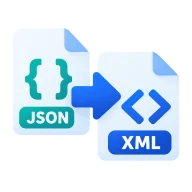
Convert JSON to XML
Convert JSON to XML that is indented and well-formed, with attributes from @_ keys. Built in your browser with fast-xml-parser and never uploaded.
Why convert JSON to XML?
Many enterprise systems, SOAP APIs, RSS tools and older integrations still need XML. Converting JSON to XML lets you send modern data to them without rewriting it.
How to convert JSON to XML
Drop a .json file above and press Convert. Each JSON key becomes an XML element and each array item repeats its element. A bare array or a single value is wrapped in a root element, with array items as item elements, so the output is always valid XML. The file starts with an XML declaration and is indented for reading.
Attributes and naming
Keys that start with @_ become attributes, so {"book": {"@_id": "7", "title": "Dune"}} gives <book id="7"><title>Dune</title></book>. XML element names can't start with a digit or contain spaces, so rename such keys in the JSON before converting.
Before you send the XML
Many XML consumers validate against a schema, an XSD, that fixes element names, order and namespaces. A straight conversion can't know those rules. Compare the result with an example message from the system you are sending to, then rename keys or reorder fields in the JSON and convert again until they match. Namespaced names such as soap:Envelope can be written as JSON keys with the prefix included.
Before you start
Input: JSON. Output: XML. The settings appear before anything runs, so you can check them first. Your original file is never changed.
A valid file can still hold the wrong data. Before you import the result, check the row count, field names, text encoding, dates, IDs and a few unusual rows.
Keep the original until you have opened and checked the result. The work happens in this browser tab, so the size you can handle depends on your device's memory, your browser and the file itself.
Steps to convert JSON to XML
- Drop a .json file into the box above.
- Press Convert to build the XML in your browser.
- Download the XML.
Last updated · How we build and check tools · Report an error
 XML to JSON
 JSON to YAML
 JSON to TOML
 JSON to CSV