Text diff checker
Diff checker that compares two texts and highlights added, removed and unchanged lines. Side-by-side or inline view. Runs in your browser.
How to compare two texts
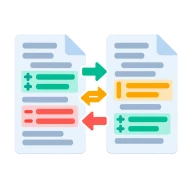
Paste the original text into the left box and the changed version into the right box. The differences appear straight away. Additions show in green and removals in red. The side-by-side view compares whole lines and lines up matching ones so you can scan larger edits. The inline view compares word by word and marks the exact words added or removed inside a paragraph.
Use it for code, writing and config
Check a code snippet, proofread a new draft of a document, or compare two config files without git. The Ignore case option hides changes that are only upper or lower case.
Your text stays on the page
The diff is computed in your browser with a Myers-style line and word diff. It works offline and confidential text stays on your machine.
Ignore case
Turn on Ignore case to hide changes that are only upper or lower case, such as a renamed heading that went from Title Case to Sentence case. Changes in spacing and punctuation still show, so you can see real edits without the noise of a capitalization pass.
Before you start
Diff Checker works on the text or values you enter. Output: Differences. The settings appear before anything runs, so you can check them first. Your original file is never changed.
The value you enter is processed in your browser. Still test the output where it will be used. Clean formatting does not prove the data is safe or correct.
Keep the original until you have opened and checked the result. The work happens in this browser tab, so the size you can handle depends on your device's memory, your browser and the file itself.
How to use the text diff checker
- Paste the original text on the left.
- Paste the changed text on the right.
- Choose side-by-side or inline view.
- Read the highlighted additions and removals.
Last updated · How we build and check tools · Report an error
 Word Counter
 Case Converter
 JSON Formatter