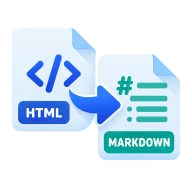
Convert HTML to Markdown
Convert HTML to Markdown. Paste HTML and get tidy Markdown with headings, links, lists and code blocks kept. Good for docs, wikis and notes. Runs locally.
How to convert HTML to Markdown
Paste HTML into the left pane and press Convert. Turndown reads it in your browser and writes Markdown on the right. Headings become # lines, links become [text](url), images become , and lists, blockquotes and code blocks map to their Markdown forms. Copy the result or download it as a .md file.
Why convert HTML to Markdown
Markdown is easier to store, diff and edit than HTML. Moving content from a web page, a CMS export or a rich text editor into Markdown lets you use it in wikis, static sites, README files and note apps such as Obsidian. It is also a common step when migrating a blog from WordPress to a static site generator.
What happens to other tags
Markdown has no way to write divs, spans, classes or inline styles. Those tags are removed and their text is kept, so you get readable prose instead of stray angle brackets. Tables are not converted into pipe tables, and their cell text comes through as plain paragraphs. Script and style blocks are best removed before you paste.
Get a clean result from a web page
Copy only the part of the page you want, such as the article body, rather than the whole document. In most browsers you can right-click the article, choose Inspect, then copy the outer HTML of the element that holds it. Menus, footers and cookie banners left in the paste come through as text.
Before you start
Input: HTML and HTM. Output: Markdown. The settings appear before anything runs, so you can check them first. Your original file is never changed.
A document conversion may not keep every font, layout rule, embedded object, subtitle cue or app-specific feature. Read through the full result before you send or submit it.
Keep the original until you have opened and checked the result. The work happens in this browser tab, so the size you can handle depends on your device's memory, your browser and the file itself.
Steps to convert HTML to Markdown
- Paste your HTML into the left pane.
- Press Convert to get Markdown on the right.
- Copy the Markdown, or download it as a .md file.
Last updated · How we build and check tools · Report an error
 Markdown to HTML
 DOCX to Markdown
 HTML Beautifier
 HTML to PDF