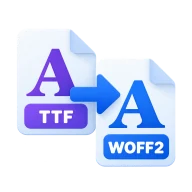
Convert TTF to WOFF2
Convert TTF to WOFF2, the smallest web font format, with Google's WOFF2 encoder running in your browser. Works with OTF fonts too. No upload needed.
What is WOFF2?
WOFF2 is the second version of the Web Open Font Format. It compresses the font with Brotli and stores glyph outlines in a more compact form than TrueType itself. The result is usually 25 to 35 percent smaller than WOFF and often less than half the size of the raw TTF. Chrome, Edge, Firefox and Safari all support it.
How to convert TTF to WOFF2
Drop one or more .ttf or .otf fonts above and press Convert all. The woff2 library from Google, compiled to WebAssembly, runs in your browser and writes a .woff2 file for each font. Download them and add them to your site with a @font-face rule. Nothing is uploaded, so licensed fonts stay on your device.
Use it in CSS
List the WOFF2 file first in your @font-face src, with format("woff2"), and keep a WOFF fallback only if you still support very old browsers. Add font-display: swap so text shows straight away in a fallback font while the web font loads. Subset the font first with the font subsetter if you only need some characters, since that cuts the size far more than any format change.
What changes inside the font
WOFF2 is lossless for the parts browsers use. The glyph outlines, metrics, kerning and OpenType features are kept. The encoder rebuilds some tables on decode, so a TTF converted to WOFF2 and back is not byte-identical, but it renders the same.
Before you start
Input: TTF and OTF. Output: WOFF2. The settings appear before anything runs, so you can check them first. Your original file is never changed.
Archives and fonts can hold many files or complex tables. Look over the file names you get. Don't open programs you didn't expect, and keep the source until you have checked the output.
Keep the original until you have opened and checked the result. The work happens in this browser tab, so the size you can handle depends on your device's memory, your browser and the file itself.
Steps to convert TTF to WOFF2
- Drop a .ttf or .otf font into the box above.
- Press Convert all. The WOFF2 encoder runs in your browser.
- Download the .woff2 file.
- Reference it in a @font-face rule with format("woff2").
Last updated · How we build and check tools · Report an error
 WOFF2 to TTF
 TTF to WOFF
 Font subsetter
 OTF to TTF