Convert stereo audio to mono
Convert stereo audio to mono online. Left and right are mixed into one MP3 channel, which suits speech and single speakers. No upload needed.
What converting to mono does
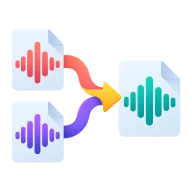
Mono audio has one channel. The tool mixes the left and right channels together, so nothing from either side is dropped. The same sound then plays from every speaker, and the file holds half as much audio data as stereo at the same quality.
How to convert stereo to mono
Drop an MP3, WAV, M4A, FLAC or other audio file above and press Convert to mono. Every channel is mixed down to one and the result is saved as an MP3 at about 190 kbps. There are no settings, so it takes one click. Multichannel files, such as 5.1 audio from a video, are mixed down the same way.
When to convert stereo to mono
Mono suits voice recordings, podcasts, phone audio and anything played through one speaker, such as a smart speaker or a phone held to the ear. It also fixes a recording where the voice is stuck in one ear, which happens when a mono microphone is recorded onto one side of a stereo track.
Before you start
Input: MP3, WAV, FLAC, M4A, AAC, OGG, OPUS, WEBM, and AMR. Output: mono MP3. The settings appear before anything runs, so you can check them first. Your original file is never changed.
Converting audio can change the codec, bitrate, channels, tags and length. Listen to the start and end of the result. Keep a lossless original if you may edit it again.
Keep the original until you have opened and checked the result. The work happens in this browser tab, so the size you can handle depends on your device's memory, your browser and the file itself.
How to convert stereo audio to mono
- Drop audio to convert to mono.
- Pick the settings you want.
- Press the action button, then download the mono MP3.
Last updated · How we build and check tools · Report an error
 Audio to Stereo
 Normalize Audio
 Compress Audio