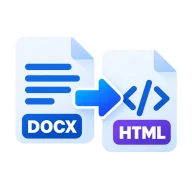
DOCX to HTML converter
DOCX to HTML converter that turns Word files into clean markup with headings, lists, tables, links and images. Runs in your browser with no upload.
What this DOCX to HTML converter does
It reads your .docx file with the open-source Mammoth library. Word's structure maps onto standard HTML tags: headings, bold and italic text, lists, tables and links. The output is a small HTML5 document with a UTF-8 charset, a mobile viewport tag and a <title> taken from the file name. No stylesheet is attached, so you can paste the body into any page or template.
How to convert DOCX to HTML
Drop the .docx file above and press Convert. Mammoth reads the document in your browser and the HTML file is ready a moment later, named after the document. Open it in a browser to check the result, or open it in a code editor to copy the body into your CMS or template.
Why convert Word to HTML
A CMS, a static site or an email template all take HTML, not a binary .docx file. Converting first gives you markup you can paste in directly. You also skip the cleanup that Word's own HTML export needs.
How the HTML stays clean
Word's "Save as Web Page" output is full of mso- styles, font rules and conditional comments. This converter looks at what each part of the document means, not how it looks. A paragraph styled Heading 2 becomes an <h2>, whatever its font or size. The tags carry no classes or inline styles, so the file is small and easy to restyle with your own CSS.
What's kept in the HTML
Anything that carries structure is converted to its HTML equivalent:
- Headings: paragraphs using the built-in Heading 1 to Heading 6 styles become <h1> to <h6>.
- Text formatting: bold becomes <strong>, italic becomes <em>, strikethrough becomes <s>, and superscript and subscript become <sup> and <sub>.
- Lists: bulleted and numbered lists become <ul> and <ol>, nested levels included.
- Tables: rows and cells become <table> markup. Merged cells keep their colspan and rowspan, and rows marked "Repeat as header row" become <th> cells.
- Links: hyperlinks become <a href> elements.
- Footnotes and endnotes: collected in a numbered list at the end, linked to and from where they're referenced.
- Images: embedded as Base64 <img> tags, with the alt text you set in Word.
What's left out
Formatting that only changes the look is dropped on purpose. That covers fonts, font sizes, text colors, highlighting, alignment, spacing, and table borders and shading. Underlines are ignored because underlined text looks like a link on the web. Page layout such as margins, columns, headers and footers has no HTML equivalent, so it isn't converted. Word comments are skipped. Text boxes are kept, but their text appears as a separate paragraph after the one that holds them.
Tips for cleaner output
The HTML can only be as structured as the Word file. A little prep helps:
- Use Word's built-in Heading styles. Text you made big and bold by hand converts to a plain paragraph. Word's Title style isn't a heading either, so switch it to Heading 1 if you want an <h1>.
- Build lists with Word's bullet and numbering buttons, not typed dashes or numbers.
- Add alt text to images in Word so it carries over to the <img> tags.
- For documents with many images, think about extracting the pictures afterwards. Base64 makes each image about a third larger than the original file.
- Working in Google Docs? Use File > Download > Microsoft Word (.docx), then convert that file here.
Before you start
Input: DOCX. Output: HTML. The settings appear before anything runs, so you can check them first. Your original file is never changed.
A document conversion may not keep every font, layout rule, embedded object, subtitle cue or app-specific feature. Read through the full result before you send or submit it.
Keep the original until you have opened and checked the result. The work happens in this browser tab, so the size you can handle depends on your device's memory, your browser and the file itself.
How to use the DOCX to HTML converter
- Drop your .docx file into the box above, or click to pick it.
- Press Convert to turn the document into HTML.
- Download the .html file. Open it in a browser to check it, then publish or restyle it.
Last updated · How we build and check tools · Report an error
 DOCX to Markdown
 DOCX to TXT
 HTML to Markdown
 Markdown to HTML