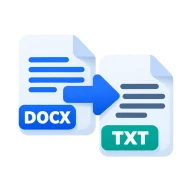
Convert DOCX to plain text
Convert DOCX to TXT. Pull the plain text out of a Word document as a UTF-8 .txt file, with no formatting. Runs in your browser, nothing is uploaded.
How to convert DOCX to TXT
Drop one or more .docx files above and press Convert. Mammoth's raw text extraction reads every paragraph of the document in your browser and writes it to a .txt file with the same name. Paragraphs are separated by blank lines. Download each text file or all of them as a ZIP. Nothing is installed and no account is needed.
Why extract plain text
Plain text works as input for search indexes, word counters, translation tools, AI prompts, diff tools and scripts. It also opens on any device without Word, and it is the safest way to pass the words of a document to a system that chokes on formatting or hidden markup.
What you get
A UTF-8 .txt file, so accented letters and other scripts come through correctly. Text inside tables is kept, one cell per paragraph, but not the table layout. List bullets and numbering are not written out, only the item text. Headers, footers, comments, images and drawings are dropped, since a text file can't hold them.
Before you start
Input: DOCX. Output: Plain text. The settings appear before anything runs, so you can check them first. Your original file is never changed.
A document conversion may not keep every font, layout rule, embedded object, subtitle cue or app-specific feature. Read through the full result before you send or submit it.
Keep the original until you have opened and checked the result. The work happens in this browser tab, so the size you can handle depends on your device's memory, your browser and the file itself.
How to convert DOCX to plain text
- Drop your .docx file into the box above, or click to pick it.
- Press Convert. The text is extracted on your device.
- Download the .txt file.
Last updated · How we build and check tools · Report an error
 DOCX to Markdown
 Word to PDF
 PDF to Text
 Word Counter