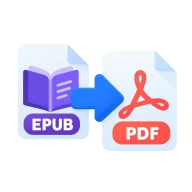
Convert EPUB to PDF
Convert EPUB to PDF in your browser. Chapters are put in reading order and printed with your browser's own engine. Nothing is uploaded.
What is EPUB?
EPUB is the open e-book standard. It is a zipped bundle of XHTML chapters, images and styles that reflows to fit any screen. Most e-readers and book stores use it.
Why convert EPUB to PDF?
A PDF has fixed pages that print cleanly and look the same everywhere. Converting an EPUB gives you a copy you can print or share with people whose devices don't read EPUB.
How to convert EPUB to PDF
Drop an .epub file above. Convertur unzips it, reads the spine in the OPF file to put chapters in order and inlines the images. Press Create PDF and the assembled book opens in your browser's print dialog. Choose Save as PDF, pick the paper size and save. You get the browser's own typography, with selectable text, and no extra renderer to download.
DRM and print settings
Books bought from Kindle, Apple Books, Kobo and most other stores are protected with DRM and can't be read by any converter that respects the protection. DRM-free EPUBs from Project Gutenberg, Standard Ebooks, publishers that sell without DRM and your own exports convert normally. In the print dialog, turn off headers and footers for a cleaner page.
Before you start
Input: EPUB. Output: PDF. The settings appear before anything runs, so you can check them first. Your original file is never changed.
These formats often follow rules set by one app or device. Test the result where it will be used, and keep the source in case you need to export it again.
Keep the original until you have opened and checked the result. The work happens in this browser tab, so the size you can handle depends on your device's memory, your browser and the file itself.
Steps to convert EPUB to PDF
- Drop an .epub file into the zone above.
- Convertur reads the chapters in order and inlines the images.
- Press Create PDF to open your browser's print dialog.
- Choose Save as PDF as the destination and save.
Last updated · How we build and check tools · Report an error
 EML Viewer
 Unlock PDF
 Fill PDF Form