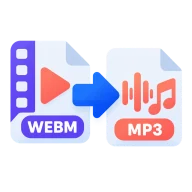
Convert WebM to MP3
Convert WebM to MP3 online. Save the audio from screen recordings, browser captures and web downloads as an MP3. Runs in your browser, no upload.
What is WebM?
WebM is an open media container made for the web. It usually holds VP8 or VP9 video with Opus or Vorbis audio. Browsers use it for screen recordings, meeting captures and streamed media, and Chrome's own recorder saves WebM.
Why convert WebM to MP3?
Sometimes you only want the sound from a recorded meeting, a captured stream, a lecture or a web clip. An MP3 is much smaller than the video, plays anywhere and is easy to send to a transcription service. It also fits podcast hosts and voice note apps that won't take a video file.
How to convert WebM to MP3
Drop .webm files above and press Convert all. The first audio track is decoded and encoded to MP3, and any video track is dropped. On Auto the bitrate follows the source, or you can set one from 64 to 320 kbps. If a WebM has no audio track, you get a clear message instead of a silent file. Download the MP3s one by one or as a ZIP.
Before you start
Input: WEBM. Output: MP3. The settings appear before anything runs, so you can check them first. Your original file is never changed.
Converting audio can change the codec, bitrate, channels, tags and length. Listen to the start and end of the result. Keep a lossless original if you may edit it again.
Keep the original until you have opened and checked the result. The work happens in this browser tab, so the size you can handle depends on your device's memory, your browser and the file itself.
Steps to convert WebM to MP3
- Drop your .webm files above, or browse to select them.
- Press Convert all. The audio track is extracted in your browser.
- Download each MP3, or get them all as a ZIP.
Last updated · How we build and check tools · Report an error
 MP4 to MP3
 WebM to MP4
 Opus to MP3