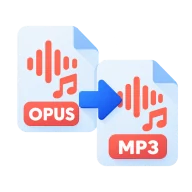
Convert Opus to MP3
Convert Opus to MP3 online. Opus is the codec behind WhatsApp voice notes and Discord. Get an MP3 you can open anywhere, with no upload.
What is Opus?
Opus is a modern, efficient codec for both speech and music, standardized by the IETF. WhatsApp voice notes, Discord, Zoom and many web calling apps use it. Voice notes are often encoded at very low bitrates, around 16 to 32 kbps, which keeps them tiny.
Why convert Opus to MP3?
Few desktop players, editors and car stereos support Opus. An MP3 copy lets you play, edit, transcribe or share a voice note or clip on any device, or keep it in an archive that doesn't depend on a messaging app.
How to convert Opus to MP3
Drop the .opus files above and press Convert all. On Auto, the MP3 bitrate follows the source, so a low-bitrate voice note stays small. For music saved as Opus, choose 192 kbps or higher in the options panel. Download each MP3 or the whole batch as a ZIP. Voice notes stay clear, but converting can't add detail that the original never had.
Before you start
Input: OPUS. Output: MP3. The settings appear before anything runs, so you can check them first. Your original file is never changed.
Converting audio can change the codec, bitrate, channels, tags and length. Listen to the start and end of the result. Keep a lossless original if you may edit it again.
Keep the original until you have opened and checked the result. The work happens in this browser tab, so the size you can handle depends on your device's memory, your browser and the file itself.
Steps to convert Opus to MP3
- Drop your .opus files above, or browse to select them.
- Leave the bitrate on Auto or choose one for music.
- Press Convert all. Decoding runs in your browser.
- Download each MP3, or all of them as a ZIP.
Last updated · How we build and check tools · Report an error
 OGG to MP3
 AMR to MP3
 M4A to MP3