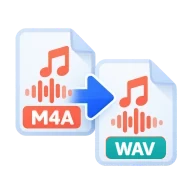
Convert M4A to WAV
Convert M4A to WAV online. Turn Voice Memos, iTunes songs and other AAC or Apple Lossless audio into 16-bit WAV for editing. No upload.
Why convert M4A to WAV?
M4A is compact, but not every program reads it. Audacity on Windows and Linux needs its optional FFmpeg library to import M4A, and many samplers, older DAWs, hardware recorders and transcription services only take WAV. A WAV copy opens everywhere without extra codecs, and editing it won't add another round of compression.
How to convert M4A to WAV
Drop one or more .m4a files above and press Convert all. Each file is decoded in your browser and saved as 16-bit PCM WAV at its original sample rate, usually 44,100 or 48,000 Hz. Change the sample rate in the options panel if your project needs a specific one. Download the WAVs one at a time or as a ZIP.
AAC and Apple Lossless
An M4A file usually holds AAC, which is lossy, and sometimes Apple Lossless (ALAC). From AAC, the WAV sounds exactly like the M4A. It can't bring back detail AAC removed, but it stops further loss. From 16-bit Apple Lossless the WAV is a bit-for-bit match of the original audio. The output is always 16-bit, so 24-bit Apple Lossless files are reduced to 16-bit.
File size
WAV is uncompressed, so expect it to be several times larger than the M4A. One minute of 16-bit stereo audio at 44,100 Hz takes about 10.6 MB. A 4-minute song therefore becomes a WAV of roughly 42 MB, while a 256 kbps M4A of the same song is about 7.7 MB.
Before you start
Input: M4A. Output: WAV. The settings appear before anything runs, so you can check them first. Your original file is never changed.
Converting audio can change the codec, bitrate, channels, tags and length. Listen to the start and end of the result. Keep a lossless original if you may edit it again.
Keep the original until you have opened and checked the result. The work happens in this browser tab, so the size you can handle depends on your device's memory, your browser and the file itself.
Steps to convert M4A to WAV
- Drop your .m4a files above, or browse to select them.
- Leave Sample rate on Auto, or pick the rate your project uses.
- Press Convert all. Decoding runs in your browser.
- Download each WAV, or all of them as a ZIP.
Last updated · How we build and check tools · Report an error
Learn more
Related tools
 M4A to MP3Turn Apple M4A and AAC audio into MP3.
 MP3 to WAVTurn MP3 files into uncompressed WAV audio.
 MP4 to WAVExtract a video's soundtrack as an uncompressed WAV.
 Audio and Video Metadata EditorView, edit or remove tags and cover art in MP3, M4A, FLAC, MP4 and more. Audio and video are copied, not re-encoded.