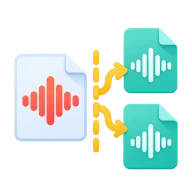
Split audio by timestamps
Split audio online by timestamps. Cut a long MP3, podcast or recording into parts without re-encoding, then download a ZIP. No upload.
How to split an audio file into parts
Type the start time of each part, one per line. The first line must be 0:00, and the last line marks where the final part ends. For example, 0:00, 1:30 and 3:00 give you two parts: 0:00 to 1:30 and 1:30 to 3:00. You can write times as plain seconds, as m:ss or as h:mm:ss.
No quality loss
Each part is copied from the source without re-encoding, so the audio quality does not change. Parts keep the original format. An MP3 gives you MP3 parts and a WAV gives you WAV parts. In compressed formats such as MP3, a cut can land a few hundredths of a second from the exact time, because it snaps to the nearest audio frame.
What people split audio for
Cut an audiobook or podcast into chapters, or break a long DJ mix or lecture into separate tracks. The parts are named part-01, part-02 and so on, in time order.
Before you start
Input: MP3, WAV, FLAC, M4A, AAC, OGG, OPUS, WEBM, and AMR. Output: audio parts ZIP. The settings appear before anything runs, so you can check them first. Your original file is never changed.
Converting audio can change the codec, bitrate, channels, tags and length. Listen to the start and end of the result. Keep a lossless original if you may edit it again.
Keep the original until you have opened and checked the result. The work happens in this browser tab, so the size you can handle depends on your device's memory, your browser and the file itself.
How to split audio by timestamps
- Drop the audio file you want to split.
- Type one timestamp per line, starting with 0:00 and ending with the end of the last part.
- Press Split and download ZIP.
- Open the ZIP to find each part as its own file.
Last updated · How we build and check tools · Report an error
 MP3 Cutter
 Compress Audio
 MP3 Joiner