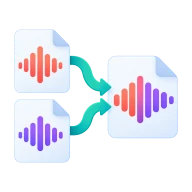
MP3 joiner: merge audio files
MP3 joiner that merges audio files into one MP3 in the order you choose. Mix MP3, WAV, M4A and more, reorder the list, then join. No upload.
How to join MP3 files
Drop two or more audio files above. They appear in a list in the order you added them. Use the up and down arrows to change the order and the remove button to drop a file. Press Merge and the files are joined end to end into one MP3 called merged.mp3. There is no gap or crossfade between them.
Mix formats and sample rates
The files don't need to match. An MP3, a WAV voice-over and an M4A recording can be joined in one go. FFmpeg's concat filter decodes every file and encodes the joined audio once as an MP3 at about 190 kbps, so mismatched sample rates and codecs join cleanly without speed or pitch glitches.
What people join audio for
Put podcast segments, an intro jingle and an outro together. Combine the parts of an audiobook chapter or a lecture recorded in several sessions. Join songs into one continuous file for a workout or a party, or stitch several voice notes into one message. To add a short fade between parts, fade each file first with Fade Audio.
Before you start
Input: MP3, WAV, FLAC, M4A, AAC, OGG, OPUS, WEBM, and AMR. Output: MP3. The settings appear before anything runs, so you can check them first. Your original file is never changed.
Converting audio can change the codec, bitrate, channels, tags and length. Listen to the start and end of the result. Keep a lossless original if you may edit it again.
Keep the original until you have opened and checked the result. The work happens in this browser tab, so the size you can handle depends on your device's memory, your browser and the file itself.
How to merge audio files
- Drop two or more audio files into the zone above.
- Reorder them with the arrows, or remove any you don't need.
- Press Merge, then download the combined MP3.
Last updated · How we build and check tools · Report an error
 MP3 Cutter
 Fade Audio
 Split Audio
 Compress Audio