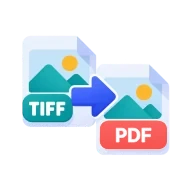
Convert TIFF to PDF
Convert TIFF to PDF online. Every page of a multi-page TIF scan or fax becomes a PDF page, at its real paper size, with no lossy compression. No upload.
Why convert TIFF to PDF?
Scanners, fax software and document archives often save pages as TIFF, sometimes with many pages in one .tif file. Browsers can't show TIFF, and most upload forms, email recipients and phones expect a PDF instead. A PDF opens everywhere and keeps the pages in order.
How to convert TIF to PDF
Drop one or more .tif or .tiff files above. They are listed in the order you add them, and every page inside each file becomes one PDF page. Choose Fit to image to keep each page at its scanned paper size, or A4 portrait or US Letter to fit every page on a standard sheet. Press Create PDF and the file downloads.
Multi-page TIFF, real page sizes
Each page is decoded in your browser and placed in the PDF as a lossless PNG image, so text and lines stay as sharp as in the scan. Pages saved with 16 bits per color channel are stored at 8 bits, the depth screens and most PDFs use. Pages tagged as rotated or mirrored are turned the right way up. With Fit to image, the page size comes from the resolution stored in the TIFF, so a 300 DPI scan of an A4 sheet becomes an A4 page. If the file has no resolution, each pixel becomes one point. Small preview thumbnails stored next to the pages are skipped.
File size and text
Pages are stored as full-color images. Scans saved uncompressed shrink a lot, while black-and-white fax pages can come out larger than the TIFF. Run the result through Compress PDF if it is too big to send. The PDF has no text layer, so use Searchable OCR PDF afterwards if you need to search or copy the text.
Before you start
Input: TIF and TIFF. Output: PDF. The settings appear before anything runs, so you can check them first. Your original file is never changed.
Pick the size and quality for where the image will end up. Resizing before strong compression usually keeps more visible detail. Keep an untouched original so you can export again later.
Keep the original until you have opened and checked the result. The work happens in this browser tab, so the size you can handle depends on your device's memory, your browser and the file itself.
How to convert TIFF to PDF
- Drop your .tif or .tiff files above, in the order you want them.
- Pick a page size: Fit to image, A4 portrait or US Letter.
- Press Create PDF. Every TIFF page becomes a PDF page.
Last updated · How we build and check tools · Report an error
 TIFF to JPG
 JPG to PDF
 Compress PDF
 OCR PDF