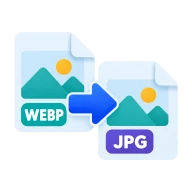
Convert WebP to JPG
Convert WebP to JPG for sharing and uploads. Get JPGs that every app, marketplace and form accepts, converted in your browser with no upload.
What is WebP?
WebP is Google's compact web image format. Many content systems, design tools and image CDNs export it, and most browsers have shown it for years. It saves bandwidth online, but older apps, some print services and many upload forms still don't accept it.
Why convert WebP to JPG?
JPG is the safest photo format for email, online marketplaces and older software. If a form or app rejects your WebP file, or a friend can't open it, a JPG copy fixes that. JPG is also the format most photo printing services ask for.
How to convert WebP to JPG
Drop the .webp files above, set the quality and press Convert all. The browser decodes each image, flattens it onto a white background and saves it as a JPG. The default quality of 85 keeps photos clean. Raise it toward 95 for images you will print, or lower it for small web thumbnails.
Quality and transparency
JPG has no alpha channel, so transparent parts of the WebP become white. If the image is a logo or cutout that needs a clear background, convert WebP to PNG instead. An animated WebP gives one JPG of its first frame.
Before you start
Input: WEBP. Output: JPG. The settings appear before anything runs, so you can check them first. Your original file is never changed.
A format change can affect compression, transparency, color and metadata. Zoom in on fine detail and transparent areas in the result. Work on a copy if the photo is one you want to keep.
Keep the original until you have opened and checked the result. The work happens in this browser tab, so the size you can handle depends on your device's memory, your browser and the file itself.
Steps to convert WebP to JPG
- Drop your .webp files into the box above, or browse to select them.
- Choose a quality level. 85 is a good default for photos.
- Press Convert all. Decoding runs in your browser.
- Download each JPG, or all of them as a ZIP.
Last updated · How we build and check tools · Report an error
 WebP to PNG
 JPG to WebP
 AVIF to JPG
 Image Compressor