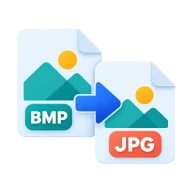
Convert BMP to JPG
Convert BMP to JPG and turn bulky bitmaps into small files that are easy to email and upload. Converted in your browser, with no upload or install.
What is BMP?
BMP is the old Windows bitmap format. It stores pixels with little or no compression, so a single 12 megapixel photo can take around 36 MB. The image data is untouched, but the files are awkward to email or upload. Scanners, old cameras, screenshot tools and legacy Windows apps still produce BMP files.
Why convert BMP to JPG?
JPG shrinks photo bitmaps to a small fraction of their size and opens everywhere. Use it when a BMP is too big to email, too big for an upload limit, or rejected by a website that only takes JPG or PNG.
How to convert BMP to JPG
Drop the .bmp files above, choose a quality and press Convert all. Your browser decodes each bitmap and saves it as a JPG at that quality. At 85 or higher the JPG looks the same as the BMP for photos and the file is far smaller. For screenshots, diagrams or anything with sharp text, BMP to PNG keeps every pixel and still makes a much smaller file.
Before you start
Input: BMP. Output: JPG. The settings appear before anything runs, so you can check them first. Your original file is never changed.
A format change can affect compression, transparency, color and metadata. Zoom in on fine detail and transparent areas in the result. Work on a copy if the photo is one you want to keep.
Keep the original until you have opened and checked the result. The work happens in this browser tab, so the size you can handle depends on your device's memory, your browser and the file itself.
Steps to convert BMP to JPG
- Drop your .bmp files into the box above, or browse to select them.
- Choose a quality level. 85 is a good default.
- Press Convert all. The conversion runs in your browser.
- Download each JPG, or all of them as a ZIP.
Last updated · How we build and check tools · Report an error
 BMP to PNG
 PNG to JPG
 TIFF to JPG
 Image Compressor