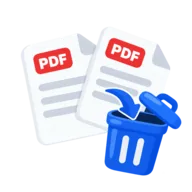
Delete pages from a PDF
Delete pages from a PDF by number, like 2,5-6, and download the trimmed file with every other page in order. Runs in your browser, with no upload.
What deleting pages does
You list the pages to remove. The tool rebuilds the PDF with every other page in its original order. Use it to drop blank scanner pages, cover sheets, instructions you don't need to send, or a section you don't want to share.
How to delete pages from a PDF
Drop the PDF above. The page count appears so you can check your numbers. Type the pages to remove, separated by commas, with ranges where it helps, such as 2,5-6. Press Delete pages and download the trimmed PDF. If your list would remove every page, the tool stops with a message instead of making an empty file.
Remove PDF pages without uploading
Trimming a private document should not mean sending it to a server. The page changes happen on your device, so the file never leaves your computer. Your original file is never changed either. The tool writes a new PDF, so you can try again with a different list.
Page quality
The pages you keep are copied unchanged. Text stays selectable, fonts stay embedded and images keep their full resolution. The file usually gets smaller, since the deleted pages and any images only they used are gone.
Before you start
Input: PDF. Output: Trimmed PDF. The settings appear before anything runs, so you can check them first. Your original file is never changed.
If layout, notes, forms, signatures or fonts matter, check the new PDF page by page. A file that opens is not the same as a file that looks right.
Keep the original until you have opened and checked the result. The work happens in this browser tab, so the size you can handle depends on your device's memory, your browser and the file itself.
Steps to delete pages from a PDF
- Drop your PDF into the box above. The page count is shown for reference.
- Enter the pages to delete, for example 2,5-6.
- Press Delete pages. It runs in your browser.
- Download the trimmed PDF.
Last updated · How we build and check tools · Report an error
 Extract PDF Pages
 Split PDF
 Merge PDF
 Compress PDF