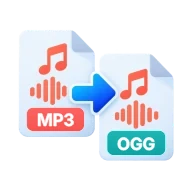
Convert MP3 to OGG
Convert MP3 to OGG online. Make Ogg Vorbis files for Minecraft, Godot, Unity and other apps that want .ogg sound. Runs in your browser, no upload.
What is an OGG file?
OGG is an open, royalty-free container from the Xiph.Org Foundation. An .ogg file usually holds Vorbis audio, a lossy codec that plays a similar role to MP3. Game engines and modding tools often ask for it. Minecraft Java Edition resource packs need .ogg sounds, and Godot and Unity both import Ogg Vorbis.
How to convert MP3 to OGG
Drop one or more MP3 files above and press Convert all. Browsers can decode MP3 but none can encode Vorbis, so the tool loads FFmpeg compiled to WebAssembly and encodes each file with libvorbis. The first conversion downloads the engine, and later ones start faster. Download the .ogg files one by one or as a ZIP.
Bitrate and quality
Vorbis is encoded in quality mode, where the bitrate rises and falls with the music, and which works at every sample rate. On Auto, the tool picks the Vorbis quality level whose typical bitrate is closest to your MP3's. Choosing a bitrate from 64 to 320 kbps in the options panel picks the closest level the same way. Because the encoder spends bits only where the sound needs them, the OGG often comes out a little smaller than the MP3. Both formats are lossy, so a re-encode loses a little detail. Matching the source bitrate or going a step higher keeps the difference very hard to hear.
Tags and cover art
Title, artist, album and other ID3 tags are copied into the OGG as Vorbis comments. Embedded cover art is not kept, because the converter writes only the audio stream. Turn off Keep metadata in the options panel to save the audio with no tags at all.
Before you start
Input: MP3. Output: OGG. The settings appear before anything runs, so you can check them first. Your original file is never changed.
Converting audio can change the codec, bitrate, channels, tags and length. Listen to the start and end of the result. Keep a lossless original if you may edit it again.
Keep the original until you have opened and checked the result. The work happens in this browser tab, so the size you can handle depends on your device's memory, your browser and the file itself.
Steps to convert MP3 to OGG
- Drop your .mp3 files above, or browse to select them.
- Leave the bitrate on Auto or pick one in the options panel.
- Press Convert all. Encoding runs in your browser.
- Download each OGG file, or all of them as a ZIP.
Last updated · How we build and check tools · Report an error
 OGG to MP3
 MP3 to WAV
 Compress Audio
 MP3 Cutter